scrap metal analysis
Intro
AI-powered scrap quality inspectionThe system uses artificial intelligence to assess scrap metal quality from photos. Operators review and confirm the results via desktop interfaces — this is a simplified overview of the process
Scrap metal processing operators and yard operators
Product Designer
4 months
Problem & Goals
Operators have no way to control traffic lights from the system and are forced to call yard operators directly. They also cannot manually enter license plate numbers for vehicles that weren’t recognized by the system.
Design missing user screens to enable full workflow support, followed by interface analysis and field testing aimed at improving speed and efficiency for yard operators.
As a development-driven product, designs couldn’t be implemented strictly according to testing results. Finding the right balance required close collaboration with the development team to propose feasible, high-quality solutions through compromise and iteration.
Discovery & Research
An analysis of 25 support tickets revealed the need for a redesigned main menu, as well as new screens for entry signal control and unloading status for both trucks and trains.

- It was unclear which vehicles were trains and which were trucks
- The «Open» and «Generate PDF report» buttons were rarely used from this screen
- There was no way to manually input unrecognized license plate numbers, affecting reporting accuracy
- Operators couldn’t determine the current location of a vehicle within the facility, causing frequent disruptions from calls between field and control room operators
As Is process
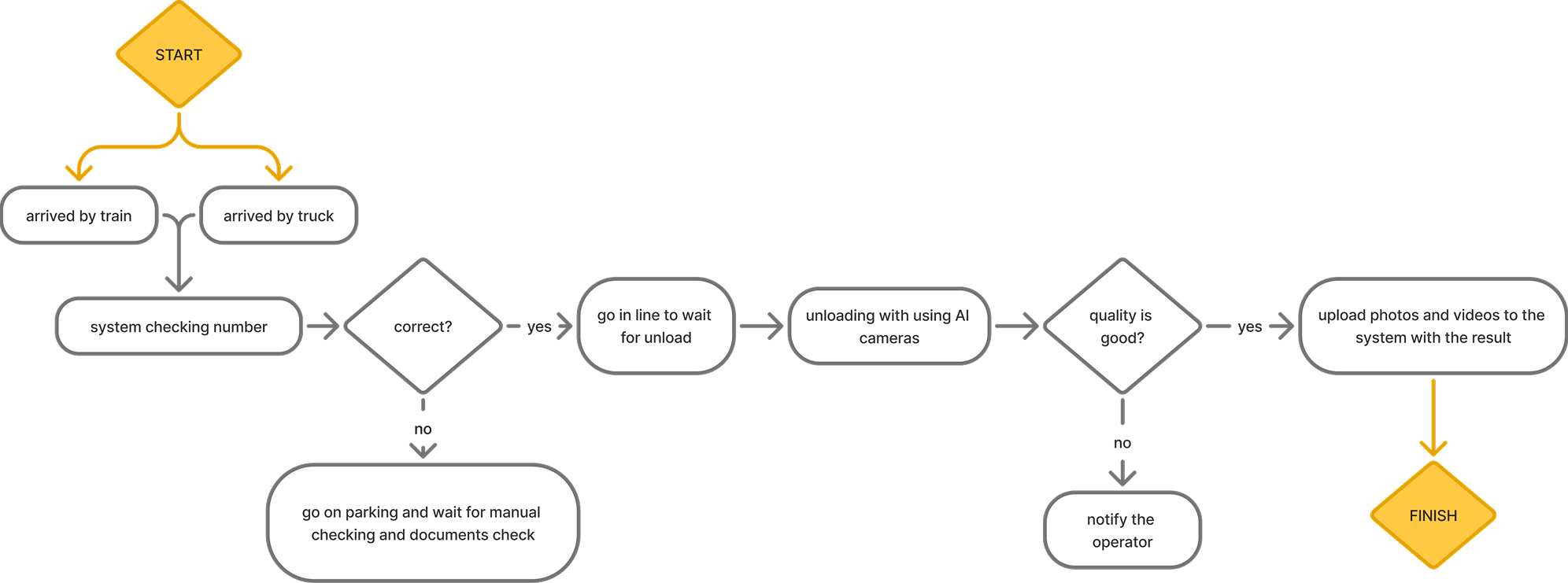
Approach & Process
Since I had UI freedom but several UX constraints in a collaboration with developers we started to create optimal solution
To Be Process
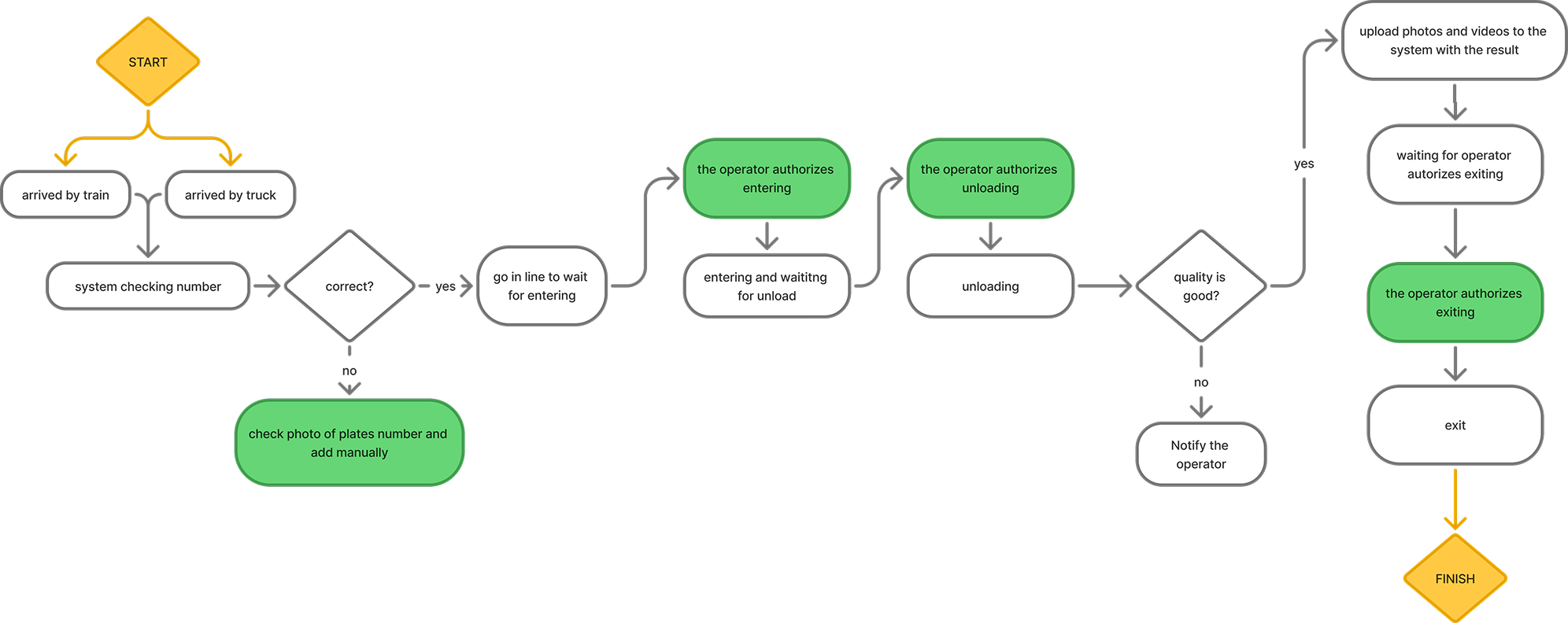
Less manual checking with yard operators
More control of the entering and unloading process
Greens is the new operator’s point of control
Following the design of the new screens, additional qualitative research was conducted to validate the effectiveness of the solution for operators.
Solution


